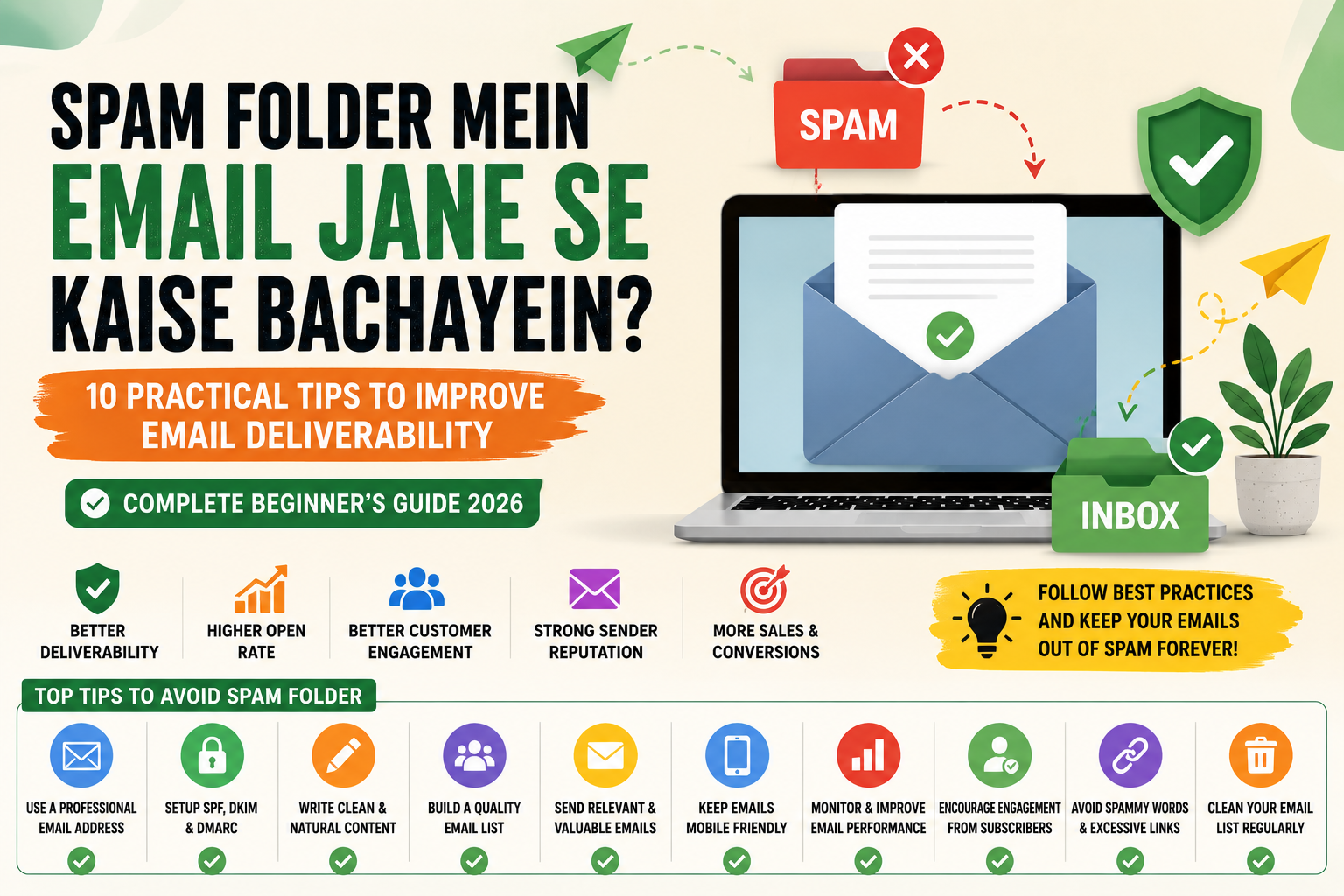
Spam Folder Mein Email Jane Se Kaise Bachayein? (Complete Beginner’s Guide 2026)
10 Practical Tips to Improve Email Deliverability
Complete Beginner’s Guide 2026
Introduction
Have you ever sent an important email that never reached the recipient’s inbox? Instead, it landed in the spam folder.
This is one of the most common problems faced by individuals, businesses, freelancers, and email marketers.
Whether you are sending:
- Business emails
- Marketing campaigns
- Newsletters
- Job applications
- Customer support emails
- Transactional emails
If your emails keep going to the spam folder, your communication and marketing efforts can suffer significantly.
Spam filters are becoming smarter every year. Email providers like Gmail, Outlook, and Yahoo use advanced algorithms to detect suspicious emails and protect users from unwanted messages.
Unfortunately, even legitimate emails sometimes end up in spam due to poor email practices.
This complete guide explains:
- Why emails go to spam
- How spam filters work
- Common mistakes to avoid
- Practical ways to improve email deliverability
- Best practices for businesses and marketers
- Advanced techniques for avoiding spam folders
What is a Spam Folder?
A spam folder is a special section inside email services where suspicious, unwanted, promotional, or potentially harmful emails are automatically stored.
Its purpose is to protect users from:
- Phishing attacks
- Malware
- Fraudulent emails
- Mass unsolicited messages
- Deceptive content
Email providers use spam detection systems to determine whether an email belongs in the inbox or spam folder.
Why Do Emails Go to the Spam Folder?
Emails usually end up in spam because of:
- Poor sender reputation
- Spam-like content
- Excessive promotional language
- Missing authentication records
- Low engagement rates
- Sending too many emails
- Purchased email lists
- Misleading subject lines
- Too many images or links
- Technical configuration issues
How Do Spam Filters Work?
Modern spam filters analyze hundreds of signals, including:
Sender Reputation
How trustworthy the sender appears.
Authentication Records
Verification systems that confirm the sender’s identity.
Email Content
Words, formatting, and links inside the email.
User Behavior
Whether users:
- Open emails
- Reply
- Delete messages
- Mark emails as spam
Domain Reputation
Trustworthiness of the sender’s website domain.
Why Email Deliverability Matters
Email deliverability means your email successfully reaches the recipient’s inbox.
Poor deliverability can lead to:
- Lost sales
- Reduced engagement
- Damaged reputation
- Lower marketing performance
- Customer dissatisfaction
For businesses, good email deliverability is essential.
Common Reasons Why Emails Go to Spam
Using Spam Trigger Words
Avoid excessive use of:
- Free Money
- Earn Fast
- Guaranteed Income
- Click Here
- Limited Time Offer
- 100% Free
- Buy Now
Spam filters often flag emails containing too many promotional phrases.
Sending Emails to Purchased Lists
Buying email lists is considered poor practice.
Problems include:
- High bounce rates
- Low engagement
- Spam complaints
- Poor sender reputation
Always build your own email list organically.
Sending Too Many Emails
Sending excessive emails can annoy subscribers.
Users may:
- Ignore messages
- Unsubscribe
- Mark emails as spam
Consistency is better than excessive frequency.
Low Engagement Rates
If recipients rarely:
- Open emails
- Click links
- Reply
Email providers may assume your emails are unwanted.
Missing Authentication Records
Many businesses fail to set up:
- SPF
- DKIM
- DMARC
These records help verify your identity.
Practical Tips to Prevent Emails from Going to Spam
Tip 1: Use a Professional Email Address
Professional:
Avoid:
Professional email addresses improve trust and credibility.
Tip 2: Set Up SPF Records
SPF (Sender Policy Framework) tells email providers which servers are allowed to send emails on behalf of your domain.
Benefits:
- Prevents spoofing
- Improves trust
- Increases deliverability
Tip 3: Enable DKIM
DKIM (DomainKeys Identified Mail) adds a digital signature to emails.
Benefits:
- Proves authenticity
- Prevents tampering
- Improves inbox placement
Tip 4: Configure DMARC
DMARC helps email providers verify:
- SPF
- DKIM
Benefits:
- Better security
- Reduced impersonation
- Improved sender reputation
Tip 5: Write Natural Subject Lines
Avoid:
URGENT!!! BUY NOW!!!
Better:
Your Weekly Marketing Tips
New Features Available
Thank You for Subscribing
Natural language improves deliverability.
Tip 6: Avoid Excessive Capital Letters
Bad:
FREE OFFER CLICK NOW!!!
Good:
Special Offer for Subscribers
Too many capital letters appear suspicious.
Tip 7: Limit Exclamation Marks
Avoid:
Amazing Offer!!!!!!!!!!!
Professional writing performs better.
Tip 8: Maintain a Clean Email List
Regularly remove:
- Invalid emails
- Inactive subscribers
- Hard bounces
Clean lists improve sender reputation.
Tip 9: Encourage Engagement
Ask subscribers to:
- Reply
- Click links
- Add your email to contacts
Higher engagement improves inbox placement.
Tip 10: Use Double Opt-In
Double opt-in requires users to confirm subscriptions.
Benefits:
- Higher-quality subscribers
- Lower complaints
- Better engagement
Email Content Best Practices
Write Valuable Content
Personalize Emails
Keep Formatting Simple
Avoid Too Many Links
Include Clear Calls-to-Action
Use Mobile-Friendly Designs
Why Businesses Need Good Email Deliverability
Poor inbox placement can cause:
- Revenue loss
- Poor customer relationships
- Reduced conversions
- Lower campaign performance
Good deliverability improves:
- Open rates
- Trust
- Customer engagement
- Marketing ROI
Best Email Marketing Platforms for Deliverability
Mailchimp
Brevo
ConvertKit
MailerLite
ActiveCampaign
These platforms provide:
- Authentication tools
- Reputation monitoring
- List management
- Analytics
Common Email Deliverability Mistakes
- Buying email lists
- Sending irrelevant content
- Using deceptive subject lines
- Ignoring authentication
- Excessive promotional language
- Sending emails too frequently
- Poor list hygiene
Frequently Asked Questions (FAQs)
Why does Gmail send my emails to spam?
Usually because of poor reputation, spam-like content, or missing authentication.
Can legitimate emails go to spam?
Yes.
What is the best way to improve deliverability?
Use authentication, quality content, and maintain a healthy email list.
Does using a professional domain email help?
Yes.
Can spam complaints hurt my business?
Absolutely. Excessive complaints damage sender reputation.
Final Thoughts
Keeping emails out of the spam folder requires both technical setup and good communication practices.
Businesses and individuals should focus on:
- Professional email addresses
- SPF, DKIM, and DMARC authentication
- Valuable content
- Clean subscriber lists
- Ethical email marketing
- Building trust and engagement
The better your email practices, the greater the chances that your messages will reach the inbox instead of the spam folder.
One thought on “Spam Folder Mein Email Jane Se Kaise Bachayein? (Complete Beginner’s Guide 2026)”
Leave a Reply

Related Posts
Inbox Zero Strategy: The Complete Guide to Achieving an Organized and Productive Email Inbox
Email Backup: A Complete Beginner’s Guide to Protecting Your Important Emails
Bahut hi informative aur beginner-friendly article hai. Spam folder se bachne ke practical tips achhi tarah explain kiye gaye hain. Email marketers aur bloggers ke liye kaafi useful guide!