Outlook vs Gmail Comparison 2026: Which Email Service Is Better?
Introduction
Email remains one of the most important communication tools in the digital world. Whether you are a student, freelancer, entrepreneur, remote worker, or corporate employee, having a reliable email service is essential. Among the many email platforms available today, Gmail and Outlook are the two most popular choices worldwide.
Both services offer powerful features, excellent security, cloud integration, and productivity tools. However, they are designed with different ecosystems and user preferences in mind. Gmail is deeply integrated with Google’s services, while Outlook works seamlessly with Microsoft’s productivity suite.
Choosing between Gmail and Outlook can be challenging because both platforms have unique advantages. This comprehensive comparison will help you understand the strengths and weaknesses of each service so you can make an informed decision.
What Is Gmail?
Gmail is Google’s email service, launched in 2004. Over the years, it has become the most widely used email platform in the world. Gmail is known for its clean interface, powerful search capabilities, advanced spam filtering, and seamless integration with Google’s ecosystem.
Users can access Gmail through web browsers, mobile applications, and third-party email clients. Gmail works closely with Google Drive, Google Docs, Google Sheets, Google Meet, and Google Calendar, creating a complete productivity environment.
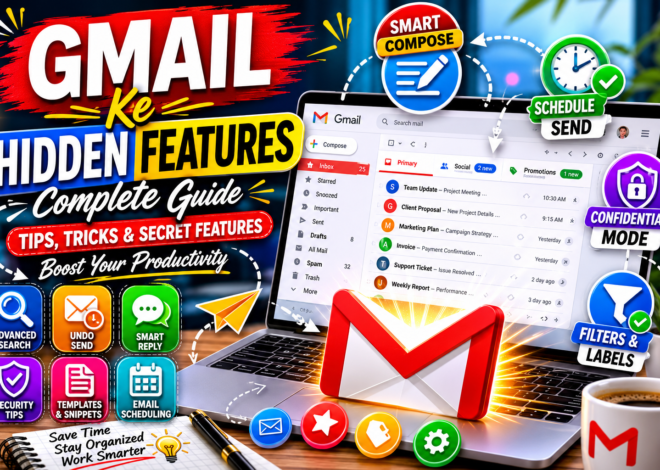
One of Gmail’s biggest strengths is its use of artificial intelligence. Features such as Smart Compose and Smart Reply help users write emails faster and more efficiently.
Today, Gmail serves billions of users worldwide and continues to evolve with new productivity and security enhancements.
What Is Outlook?
Outlook is Microsoft’s email platform and part of the Microsoft ecosystem. Originally known as Hotmail, the service has evolved significantly and now offers a professional-grade communication solution for individuals and businesses.
Outlook integrates with Microsoft Office applications such as Word, Excel, PowerPoint, OneNote, Teams, and OneDrive. This makes it especially attractive to corporate users and organizations that rely on Microsoft products.
In addition to email management, Outlook includes calendar scheduling, task management, contact organization, and advanced collaboration features. Many businesses prefer Outlook because of its enterprise-level security and productivity capabilities.
Outlook is available through web browsers, desktop applications, and mobile devices, providing flexibility across different platforms.
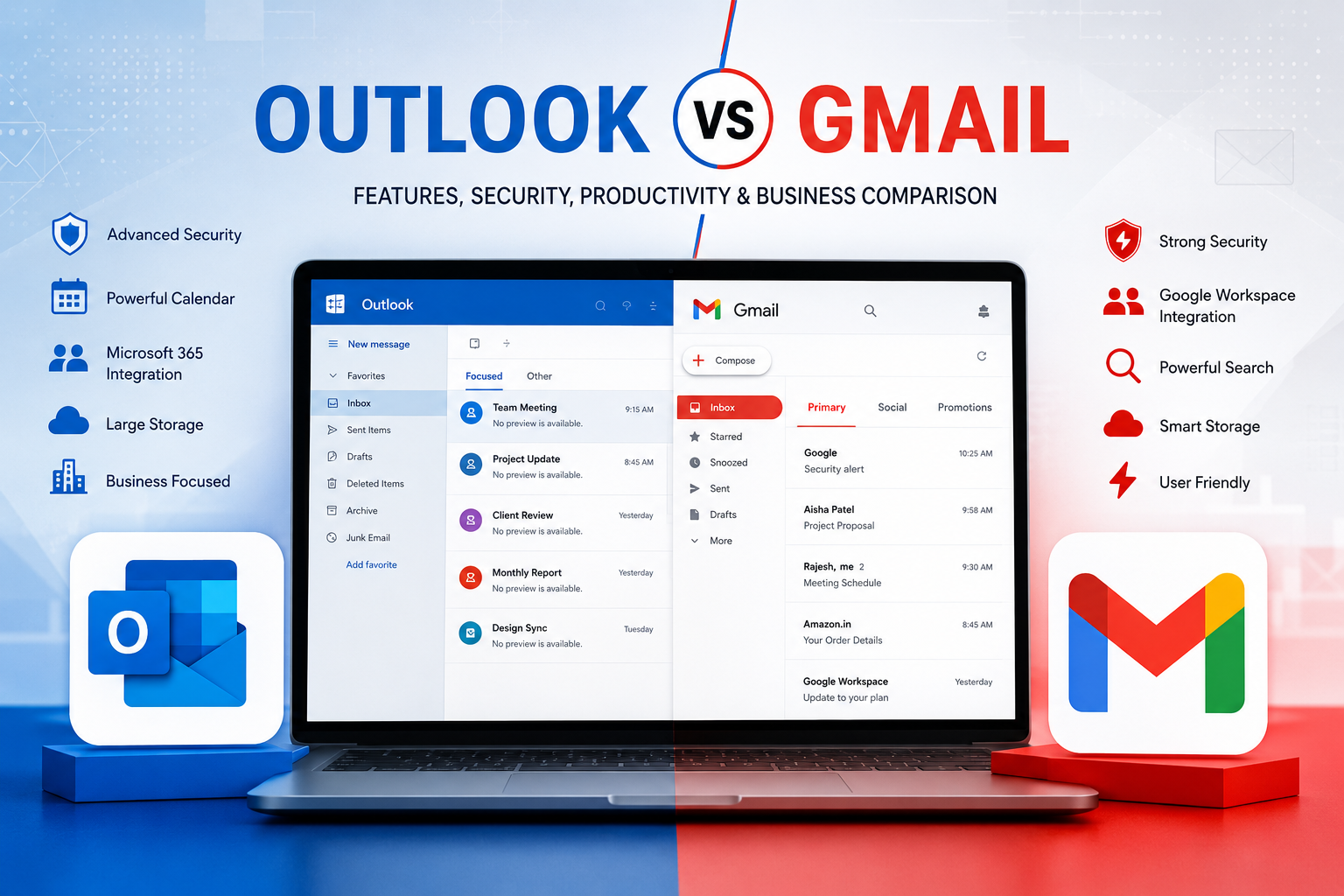
Outlook vs Gmail: Quick Overview
When comparing Outlook and Gmail, it is important to understand that both services target slightly different audiences.
Gmail focuses on simplicity, speed, and integration with Google’s cloud-based services. It is designed to be user-friendly and accessible for both beginners and experienced users.
Outlook focuses more on business productivity, enterprise management, and integration with Microsoft’s software ecosystem. It offers advanced tools that many organizations require for daily operations.
For personal users, Gmail often feels easier and more intuitive. For business users heavily invested in Microsoft Office, Outlook may offer greater value.
User Interface Comparison
The user interface plays a significant role in the overall email experience.
Gmail features a minimalist and clean design. The inbox is uncluttered, navigation is straightforward, and important actions are easy to find. Google’s design philosophy focuses on simplicity and usability.
Outlook offers a more feature-rich interface. While it may initially appear more complex, it provides quick access to calendars, tasks, contacts, and collaboration tools. This design benefits power users who require multiple productivity functions within a single dashboard.
For beginners, Gmail usually feels easier to learn. However, advanced users may appreciate Outlook’s extensive functionality.
Ease of Use
Ease of use is one of Gmail’s strongest advantages. Creating an account is simple, and users can begin sending emails within minutes. The platform’s intuitive layout reduces the learning curve significantly.
Outlook also offers a user-friendly experience, but its broader feature set can make navigation slightly more complex. New users may require additional time to become familiar with all available options.
For casual users, Gmail generally offers a smoother experience. For professionals who need advanced tools, Outlook’s complexity may actually be beneficial.
Email Organization
Effective email organization is critical for productivity.
Gmail uses labels, categories, and filters instead of traditional folders. Emails can have multiple labels, allowing greater flexibility when organizing messages. Gmail automatically separates emails into categories such as Primary, Social, Promotions, and Updates.
Outlook primarily uses folders and categories. Many business users prefer this traditional structure because it mirrors common office workflows.
Both systems are effective, but Gmail’s label-based approach offers more flexibility, while Outlook’s folder system provides a familiar and structured experience.
Storage and Cloud Integration
Cloud storage has become an essential component of modern email services.
Gmail shares storage with Google Drive and Google Photos. This unified storage system allows users to manage files, documents, and media efficiently within the Google ecosystem.
Outlook integrates with Microsoft OneDrive, enabling seamless file sharing and cloud storage. Microsoft 365 subscribers receive additional storage and premium productivity features.
For users who rely heavily on cloud-based collaboration, both platforms provide excellent solutions. The better choice depends on whether you prefer Google’s ecosystem or Microsoft’s ecosystem.
Productivity Features
Productivity is where both platforms truly shine.
Gmail includes Smart Compose, Smart Reply, email scheduling, advanced search tools, labels, filters, and integration with Google Workspace applications. These features help users manage communication efficiently and save time.
Outlook provides task management, advanced calendar integration, email rules, scheduling assistants, and deep integration with Microsoft Office applications. Business users often benefit greatly from these tools.
Both platforms significantly improve productivity, but their strengths depend on your preferred software environment.
Security and Privacy
Security is one of the most important considerations when choosing an email provider.
Gmail uses advanced artificial intelligence to detect spam, phishing attempts, malware, and suspicious activity. Features such as two-factor authentication, security alerts, and confidential mode provide additional protection.
Outlook also offers robust security measures, including advanced threat protection, encryption options, suspicious login detection, and enterprise-grade security controls.
Both services maintain high security standards. Organizations handling sensitive information may find Outlook’s enterprise-focused security features particularly attractive.
Business Features Comparison
When it comes to business communication, both Gmail and Outlook offer powerful solutions. However, they approach business productivity in different ways. Gmail is part of Google Workspace, while Outlook is integrated with Microsoft 365. Both ecosystems provide tools for communication, collaboration, file sharing, and project management.
Google Workspace includes Gmail, Google Drive, Google Docs, Google Sheets, Google Meet, and Google Calendar. These tools are designed for cloud-based collaboration and real-time teamwork. Businesses that operate remotely often prefer Google’s ecosystem because multiple users can work on the same document simultaneously without compatibility issues.
Microsoft 365 includes Outlook, Word, Excel, PowerPoint, Teams, OneDrive, and SharePoint. It is widely used by corporations because of its advanced productivity capabilities and compatibility with traditional office workflows. Large enterprises often choose Outlook because of its powerful administration tools and enterprise-level management options.
For small businesses and startups, Gmail often provides a simpler learning curve. For large organizations with complex workflows, Outlook may offer greater flexibility and control.
Collaboration Tools
Collaboration has become one of the most important aspects of modern workplaces. Teams need tools that allow them to communicate, share information, and work together efficiently.
Gmail integrates seamlessly with Google Meet, Google Chat, and Google Workspace applications. Users can schedule meetings, collaborate on documents, and communicate with team members without leaving the Google ecosystem. Real-time collaboration is one of Google’s strongest advantages.
Outlook integrates deeply with Microsoft Teams, OneDrive, and Office applications. Teams can schedule meetings directly from Outlook calendars and collaborate through Microsoft’s productivity suite. Microsoft Teams has become one of the most widely used business communication platforms worldwide.
Google’s collaboration tools are generally considered more intuitive and cloud-friendly. Microsoft’s collaboration tools provide deeper functionality and are often preferred by enterprise organizations.
Mobile App Experience
Mobile accessibility is essential for modern professionals who need access to emails on the go.
The Gmail mobile application offers a clean design, fast performance, and a user-friendly interface. Features such as Smart Reply, Smart Compose, email categorization, and powerful search capabilities make mobile email management extremely convenient.
Outlook’s mobile application is also highly regarded. It combines email, calendar, contacts, and file management into a single application. Users can switch between communication and scheduling tasks seamlessly.
Both mobile applications are available for Android and iOS devices. Gmail is often praised for its simplicity, while Outlook is appreciated for its productivity-focused design.
For casual users, Gmail’s mobile app may feel easier to navigate. Business users who rely heavily on calendars and scheduling may prefer Outlook.
Artificial Intelligence Features
Artificial intelligence is transforming the way people manage emails.
Gmail has been at the forefront of AI integration for years. Features such as Smart Compose and Smart Reply use machine learning to suggest complete sentences and responses. These tools help users write emails faster and reduce repetitive typing.
Gmail’s AI also powers spam filtering, phishing detection, inbox categorization, and search functionality. Google’s advanced machine learning systems continuously improve the email experience.
Outlook has also introduced AI-powered features. Microsoft’s Copilot technology is gradually becoming integrated into Microsoft 365 products, including Outlook. AI-powered suggestions, email summaries, scheduling assistance, and productivity recommendations are becoming increasingly available to Outlook users.
Currently, Gmail maintains a slight advantage in everyday AI-powered email functionality, while Outlook’s AI capabilities continue to expand rapidly through Microsoft’s Copilot ecosystem.
Search Functionality
Finding specific emails quickly can significantly improve productivity.
Gmail is widely recognized for having one of the most powerful search systems available in any email platform. Google’s search expertise allows users to locate messages using advanced search operators, keywords, attachments, sender information, and date filters.
For users with thousands of emails, Gmail’s search capabilities can save considerable time. Advanced operators such as “from:”, “has:attachment”, and “newer_than:” provide highly accurate search results.
Outlook also offers advanced search functionality, but many users find Gmail’s search system more intuitive and efficient. Google’s extensive experience with search technology gives Gmail a noticeable advantage in this area.
Calendar Integration
Calendars play a crucial role in personal and professional productivity.
Google Calendar integrates directly with Gmail and Google Workspace applications. Users can create events, schedule meetings, send invitations, and manage appointments with ease.
Outlook Calendar is equally powerful and is often considered one of the best business scheduling tools available. Organizations that use Microsoft Teams and Microsoft 365 benefit from Outlook’s seamless scheduling and meeting management capabilities.
Both platforms provide excellent calendar functionality. The better choice depends on whether you use Google’s or Microsoft’s productivity ecosystem.
File Sharing and Cloud Storage
Modern workflows rely heavily on cloud storage and file sharing.
Gmail integrates directly with Google Drive, making it easy to share files, collaborate on documents, and manage cloud storage. Users can send large files through Google Drive links instead of traditional attachments.
Outlook integrates with OneDrive, Microsoft’s cloud storage platform. Users can share files directly from OneDrive and collaborate using Microsoft Office applications.
Google Drive is often preferred for real-time collaboration, while OneDrive is favored by organizations that rely heavily on Microsoft Office products.
Both services provide secure cloud storage and efficient file-sharing capabilities.
Spam Protection and Email Filtering
Spam emails continue to be a major concern for internet users.
Gmail is famous for its highly effective spam filtering technology. Google’s machine learning systems analyze billions of emails and identify malicious content with remarkable accuracy. Most spam messages are automatically filtered before reaching the inbox.
Outlook also provides advanced spam protection and phishing detection mechanisms. Microsoft continuously updates its security infrastructure to protect users from cyber threats.
Independent tests frequently rank Gmail among the best spam-filtering services in the industry. However, Outlook also performs exceptionally well in protecting users from unwanted and dangerous emails.
Privacy Considerations
Privacy is becoming increasingly important as users become more aware of how their data is handled.
Google and Microsoft both maintain detailed privacy policies and invest heavily in user security. Both companies provide encryption, account protection tools, and privacy controls.
Some users prefer Outlook because Microsoft is often perceived as having a stronger focus on enterprise privacy. Others trust Google’s extensive security infrastructure and transparency initiatives.
Ultimately, both providers offer strong privacy protections, and users should review each company’s privacy policies before making a decision.
Pricing Comparison
Both Gmail and Outlook offer free plans for personal users.
Gmail’s premium services are available through Google Workspace subscriptions. These plans provide custom business email addresses, increased storage, advanced security features, and additional administrative controls.
Outlook’s premium features are included with Microsoft 365 subscriptions. Users receive access to Outlook Premium, Microsoft Office applications, OneDrive storage, and advanced productivity tools.
For individuals, both free plans are highly capable. Businesses should compare Google Workspace and Microsoft 365 pricing based on their specific requirements and team size.
Performance and Reliability
Reliability is essential for any communication platform.
Gmail is known for its fast performance, minimal downtime, and excellent uptime record. Google’s infrastructure supports billions of users worldwide and consistently delivers reliable service.
Outlook also maintains impressive reliability standards. Microsoft’s global infrastructure ensures stable performance for both individual users and enterprise customers.
In real-world usage, both services provide excellent reliability, and most users will rarely experience significant outages.
User Support and Customer Service
Customer support can be an important factor, especially for businesses.
Google provides support through help centers, community forums, and premium support options for Workspace customers. Documentation is extensive and covers most common issues.
Microsoft offers customer support through help centers, business support channels, Microsoft 365 support services, and enterprise-level assistance programs.
Businesses that require dedicated support often find Microsoft’s enterprise support options particularly valuable.
Which Service Is Better for Students?
Students generally prioritize simplicity, accessibility, collaboration, and affordability.
Gmail is often the preferred choice among students because of its integration with Google Classroom, Google Docs, Google Drive, and Google Meet. Educational institutions worldwide frequently use Google’s productivity ecosystem.
The ability to collaborate on assignments in real time makes Gmail especially attractive for academic environments.
Students who primarily use Microsoft Office applications may prefer Outlook, but Gmail remains the more popular option in education.
Which Service Is Better for Freelancers?
Freelancers require flexibility, efficient communication, and productivity tools.
Gmail’s clean interface, powerful search capabilities, AI-powered features, and cloud collaboration tools make it an excellent option for freelancers. Managing clients, projects, and communication becomes easier through labels, filters, and Google Workspace integration.
Outlook may be preferable for freelancers who work extensively with corporate clients and rely on Microsoft Office applications.
For most independent professionals, Gmail offers a more streamlined experience.
Detailed Pros and Cons of Gmail
Gmail has become the world’s most popular email service because it combines simplicity, performance, and powerful cloud integration. Its clean interface makes it easy for beginners to start using immediately, while advanced users can take advantage of features such as filters, labels, email scheduling, Smart Compose, and advanced search operators.
One of Gmail’s biggest advantages is its integration with the Google ecosystem. Users can move seamlessly between Gmail, Google Drive, Google Docs, Google Meet, and Google Calendar without switching platforms. This creates a highly productive environment for both personal and professional users.
Another major strength is Gmail’s search functionality. Google has built one of the most advanced search engines in the world, and this expertise is reflected in Gmail’s ability to find emails quickly and accurately.
However, Gmail is not perfect. Some users feel that its folder-free organization system can be confusing compared to traditional email structures. Others prefer Microsoft’s desktop productivity tools and deeper enterprise management options. Businesses with highly complex workflows may find Outlook more suitable for their needs.
Despite these limitations, Gmail remains one of the most user-friendly and feature-rich email platforms available today.
Detailed Pros and Cons of Outlook
Outlook has long been a favorite among corporate users and large organizations. One of its greatest strengths is its deep integration with Microsoft 365 applications. Users can easily access Word, Excel, PowerPoint, Teams, OneDrive, and SharePoint from within the Microsoft ecosystem.
Outlook’s advanced calendar and scheduling features are often considered industry-leading. Professionals who manage multiple meetings, appointments, and team schedules benefit greatly from Outlook’s powerful planning tools.
The platform also provides enterprise-grade security and administrative controls. Large organizations appreciate the ability to manage users, permissions, compliance requirements, and security policies through Microsoft’s business tools.
On the downside, Outlook’s interface can sometimes feel more complex than Gmail’s. New users may need additional time to learn the platform. Some users also report that Outlook’s search functionality is not as intuitive as Gmail’s.
Overall, Outlook is an excellent solution for professionals and organizations that depend heavily on Microsoft’s productivity ecosystem.
Security Deep Dive: Gmail vs Outlook
Security is one of the most important factors when choosing an email provider. Every day, millions of phishing attempts, malware attacks, and spam emails target internet users worldwide.
Gmail uses advanced artificial intelligence to identify suspicious behavior and detect harmful content before it reaches users. Google’s machine learning systems analyze billions of emails daily, helping Gmail maintain one of the most effective spam-filtering systems in the industry.
Features such as two-factor authentication, Security Checkup, confidential mode, suspicious login alerts, and encrypted communication provide additional layers of protection. Google’s security infrastructure is designed to protect users from both common and advanced cyber threats.
Outlook also offers comprehensive security protections. Microsoft invests heavily in cybersecurity and provides advanced threat protection, anti-phishing systems, email encryption, and enterprise-grade compliance tools.
For business customers, Microsoft offers specialized security solutions that integrate across the entire Microsoft ecosystem. These tools help organizations meet regulatory requirements and protect sensitive corporate data.
In terms of overall security, both platforms perform exceptionally well. Individual users may find Gmail’s automated protections more convenient, while large organizations may benefit from Outlook’s enterprise security capabilities.
Privacy Comparison
Privacy concerns continue to grow as users become more aware of digital data collection practices. Both Google and Microsoft have made significant investments in privacy protection and transparency.
Google provides extensive account privacy controls, allowing users to manage activity history, security settings, and account permissions. Gmail also offers tools that help users review account activity and identify potential security concerns.
Microsoft similarly provides strong privacy controls and allows users to manage data preferences through account settings. Many enterprise customers trust Microsoft’s approach because of its long history of serving corporate clients and regulated industries.
While privacy debates often focus on differences between Google and Microsoft, both companies maintain strong security and privacy standards. Users should review official privacy policies and choose the provider that aligns best with their personal preferences and organizational requirements.
Gmail for Personal Users
For personal users, Gmail often provides the most convenient experience. Its clean design, powerful search tools, smart categorization, and mobile-friendly interface make it easy to manage everyday communication.
People who use Android devices generally benefit from Gmail’s seamless integration with Google’s ecosystem. Photos, documents, contacts, calendars, and emails work together smoothly across devices.
Students, freelancers, bloggers, content creators, and remote workers often prefer Gmail because of its simplicity and cloud-based collaboration features.
For most personal users, Gmail offers everything needed to communicate efficiently while maintaining strong security and reliability.
Outlook for Professional Users
Outlook excels in professional environments where productivity, scheduling, and collaboration are essential. Corporate employees frequently use Outlook alongside Microsoft Teams, Word, Excel, and PowerPoint.
The platform’s advanced calendar features help professionals manage meetings, appointments, and business events more effectively. Shared calendars, scheduling assistants, and meeting management tools are especially useful in large organizations.
Many companies standardize on Microsoft 365 because it provides a complete productivity ecosystem. In these environments, Outlook becomes a natural choice for email communication.
Professionals who spend most of their workday using Microsoft tools often experience greater productivity when using Outlook.
Gmail for Small Businesses
Small businesses require affordable, scalable, and easy-to-use communication tools. Gmail, through Google Workspace, provides custom domain email addresses, cloud storage, video conferencing, and collaborative document editing.
Business owners can create professional email addresses while benefiting from Google’s reliable infrastructure and security features. Teams can collaborate on documents in real time and access files from anywhere.
Because Google Workspace is relatively easy to deploy and manage, many startups and small businesses choose Gmail as their primary communication platform.
The combination of affordability, simplicity, and productivity makes Gmail an attractive option for growing businesses.
Outlook for Enterprises
Large enterprises often require advanced management capabilities, compliance controls, and extensive administrative tools. Outlook, combined with Microsoft 365, is specifically designed to meet these requirements.
Enterprise organizations benefit from centralized management, advanced security policies, compliance monitoring, and integration with existing Microsoft infrastructure.
Industries such as finance, healthcare, government, and large-scale manufacturing frequently rely on Outlook because of its enterprise-grade capabilities.
Microsoft’s ecosystem provides the scalability and control that many large organizations require to manage thousands of employees and complex workflows.
Migration from Gmail to Outlook
Some users decide to switch from Gmail to Outlook due to changing business requirements or ecosystem preferences.
The migration process typically involves transferring emails, contacts, calendars, and files. Microsoft provides tools that simplify data migration from Gmail accounts.
Before migrating, users should review existing folders, labels, filters, and integrations to ensure important information is preserved.
Businesses planning large-scale migrations should conduct proper testing and employee training to minimize disruptions.
A successful migration strategy can help organizations transition smoothly while maintaining productivity.
Migration from Outlook to Gmail
Moving from Outlook to Gmail is also a common scenario, especially for startups and organizations adopting cloud-first workflows.
Google Workspace includes migration tools that help transfer emails, contacts, and calendars from Microsoft systems.
Organizations often choose Gmail when they want greater flexibility, real-time collaboration, and simplified administration.
Before migration, businesses should evaluate existing workflows and ensure that critical Microsoft-dependent processes have suitable alternatives within Google’s ecosystem.
Proper planning is essential to ensure a smooth transition.
Expert Recommendations
Technology experts generally agree that there is no universal winner in the Gmail versus Outlook debate. The best choice depends on how users work and which ecosystem they prefer.
If you prioritize simplicity, cloud collaboration, AI-powered features, and powerful search functionality, Gmail is often the better option.
If you rely heavily on Microsoft Office applications, enterprise management tools, and advanced scheduling capabilities, Outlook may be the stronger choice.
Students, bloggers, freelancers, and small businesses frequently benefit from Gmail’s ease of use. Large corporations and enterprise environments often gain more value from Outlook’s advanced productivity features.
Ultimately, the best email platform is the one that fits seamlessly into your workflow.
Real-World Use Cases
A freelance graphic designer who collaborates with multiple clients may find Gmail more efficient because of Google Drive integration and real-time document sharing.
A multinational corporation managing thousands of employees may prefer Outlook because of Microsoft Teams integration and centralized administration.
A university student working on group projects may benefit from Gmail’s collaboration tools and Google Workspace ecosystem.
A financial institution handling sensitive customer information may choose Outlook because of its enterprise security and compliance features.
These examples demonstrate that the ideal choice depends largely on individual and organizational needs.
Conclusion
Both Gmail and Outlook provide exceptional features, strong security, reliable performance, and powerful productivity tools. Gmail excels in simplicity, AI-powered functionality, cloud collaboration, and search capabilities. Outlook shines in business productivity, Microsoft ecosystem integration, enterprise management, and professional scheduling tools.
Neither platform is universally better than the other. The ideal choice depends on your workflow, business requirements, software preferences, and productivity goals. Understanding your needs is the key to selecting the right email platform.