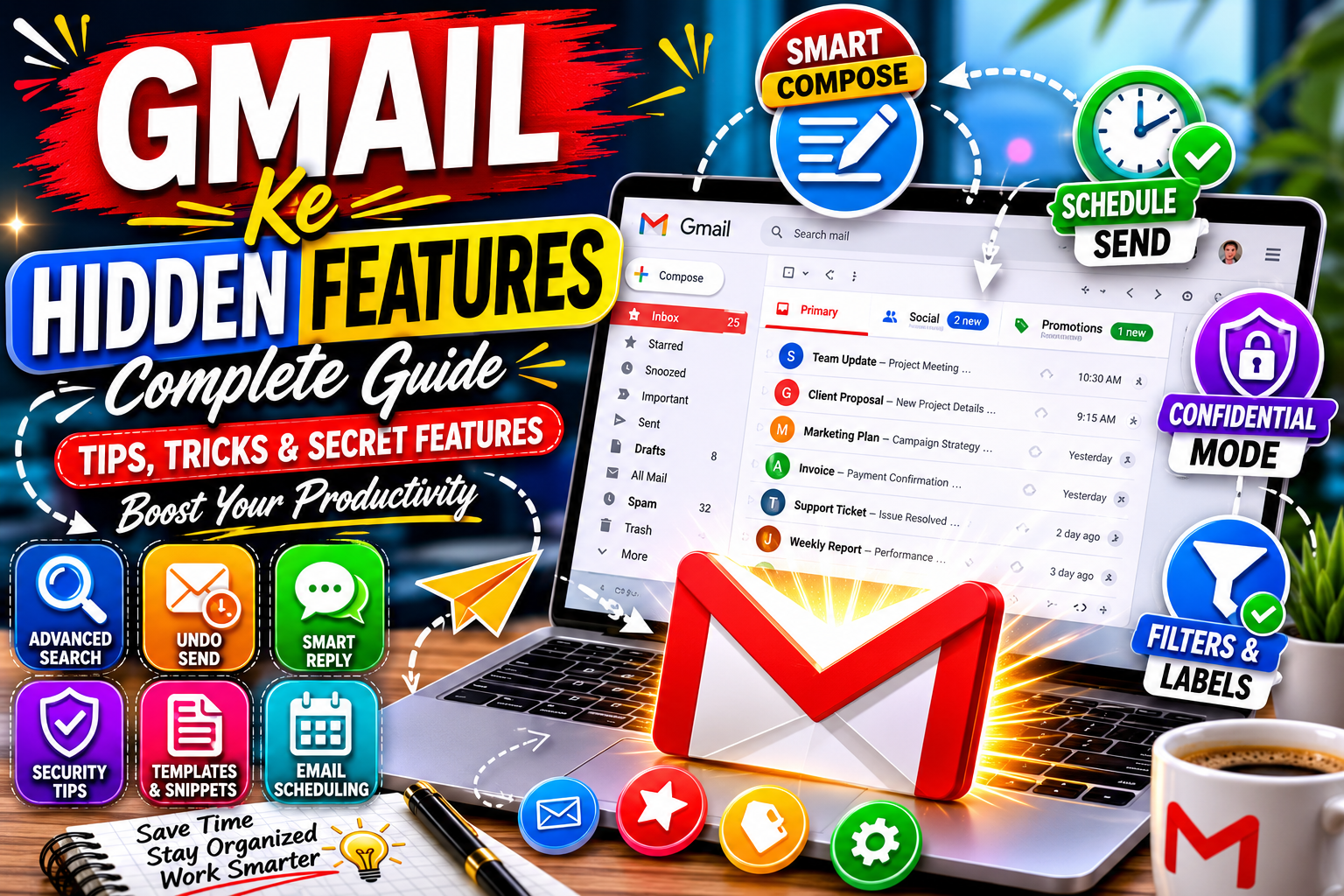
50 Gmail Hidden Features You Must Know in 2026 | Complete Gmail Guide
Introduction
Aaj ke digital daur mein Gmail duniya ki sabse zyada istemal hone wali email service ban chuki hai. Karoron log rozana Gmail ka use personal communication, business emails, online registrations aur professional collaboration ke liye karte hain. Lekin zyada tar users Gmail ke sirf basic functions tak mehdood rehte hain.
Bohat se powerful features Gmail ke andar maujood hain jo productivity ko improve karte hain, email management ko asaan banate hain aur security ko mazboot banate hain. In hidden features ki madad se aap apna waqt bacha sakte hain aur emails ko zyada professional tareeqe se handle kar sakte hain.
Is comprehensive guide mein hum Gmail ke hidden features ko detail ke sath explore karenge aur jaanenge ke inka istemal kaise kiya jata hai.
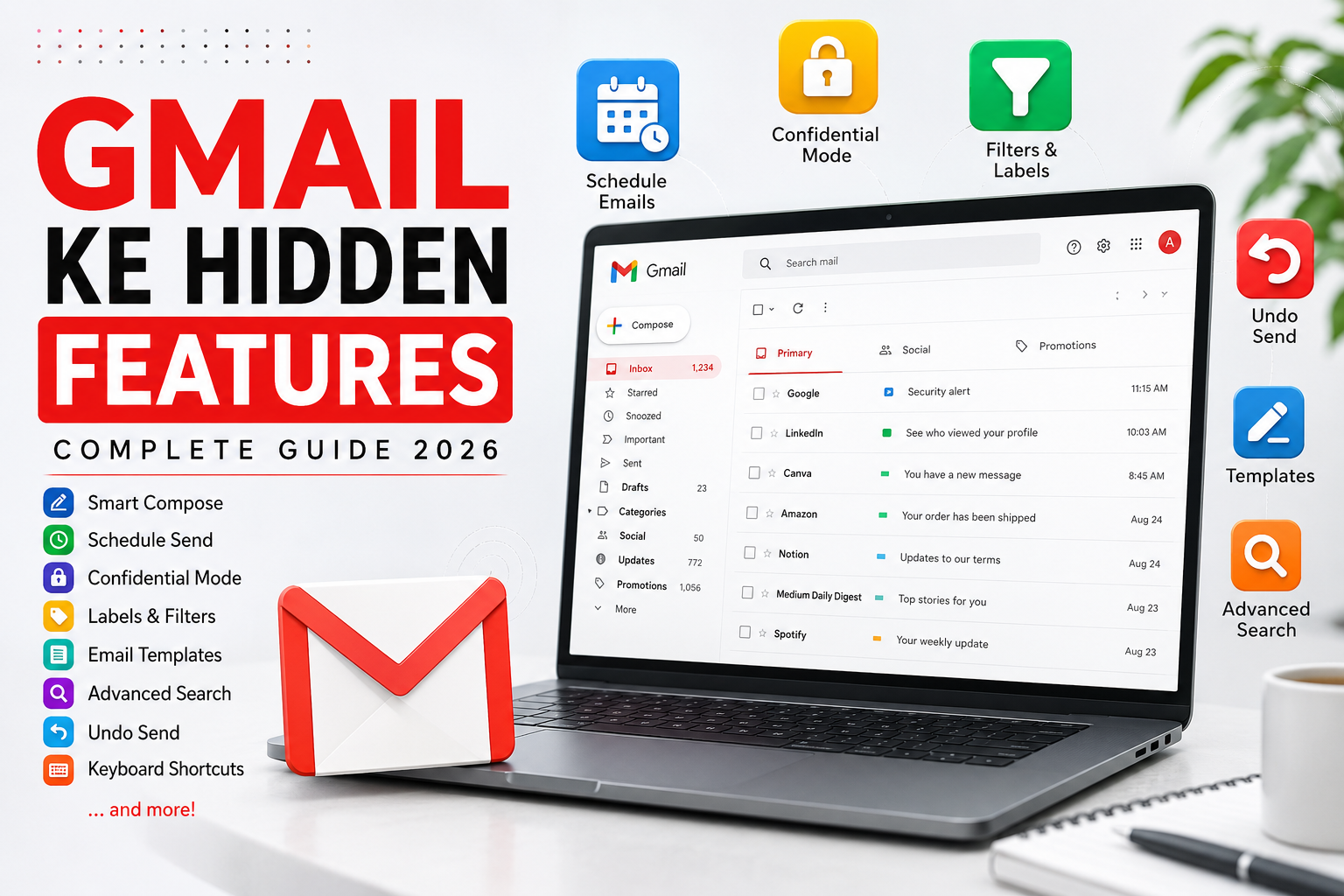
Table of Contents
- Smart Compose
- Smart Reply
- Email Scheduling
- Confidential Mode
- Undo Send Feature
- Email Templates
- Advanced Search Operators
- Labels and Filters
- Multiple Inboxes
- Priority Inbox
- Offline Gmail
- Email Snoozing
- Stars and Custom Icons
- Keyboard Shortcuts
- Vacation Responder
- Send and Archive
- Nudges Feature
- Dynamic Emails
- Gmail Tasks Integration
- Google Meet Integration
- Email Forwarding Rules
- Multiple Signatures
- Security Checkup
- Two Factor Authentication
- Confidential Attachments
- Frequently Asked Questions
- Conclusion
1. Smart Compose
Smart Compose Gmail ka AI-powered feature hai jo typing ke dauran automatic suggestions provide karta hai.
Benefits
- Fast email writing
- Time saving
- Reduced typing effort
- Professional communication
How To Enable
- Gmail Settings open karein.
- General tab mein jayein.
- Smart Compose ko enable karein.
- Save Changes par click karein.
2. Smart Reply
Smart Reply Gmail ke sabse useful hidden features mein se ek hai.
Yeh incoming emails ke liye automated response suggestions provide karta hai.
Examples:
- Thanks
- Sounds Good
- I Will Check
Advantages
- Quick responses
- Better productivity
- Mobile users ke liye ideal
3. Schedule Send Feature
Kabhi kabhi aap email likh lete hain magar usay baad mein send karna chahte hain.
Gmail ka Schedule Send feature is problem ka perfect solution hai.
Uses
- Business communication
- International clients
- Marketing campaigns
- Professional timing
Steps
- Compose Email
- Send button ke side arrow click karein
- Schedule Send select karein
- Date aur time choose karein
4. Confidential Mode
Sensitive information share karte waqt Confidential Mode bohat useful hai.
Features
- Expiry Date
- SMS Verification
- Forwarding Disabled
- Copy Disabled
- Printing Disabled
Benefits
Business documents aur private information secure rehti hai.
5. Undo Send Feature
Agar galti se email send ho jaye to Gmail ka Undo Send feature aap ko email recall karne ka mauqa deta hai.
Maximum Time
- 5 seconds
- 10 seconds
- 20 seconds
- 30 seconds
Why Important?
- Wrong attachment
- Typing mistakes
- Wrong recipient
6. Email Templates
Frequently used emails ko templates mein save kiya ja sakta hai.
Examples
- Client Responses
- Support Replies
- Sales Emails
- Follow-up Emails
Advantages
- Consistency
- Speed
- Professionalism
7. Advanced Search Operators
Gmail search bohat powerful hai.
Useful Commands
from:example@gmail.com
has:attachment
newer_than:30d
older_than:1y
label:important
Benefits
Thousands emails mein bhi required email instantly mil jata hai.
8. Labels and Filters
Labels Gmail ka folder system hai.
Popular Labels
- Work
- Clients
- Personal
- Finance
- Important
Filters
Automatically emails ko organize karte hain.
9. Multiple Inboxes
Power users ke liye Multiple Inbox feature bohat useful hai.
Separate Sections
- Starred
- Important
- Unread
- Drafts
10. Priority Inbox
AI ke zariye Gmail important emails ko identify karta hai.
Categories
- Important
- Starred
- Everything Else
11. Offline Gmail
Internet ke baghair bhi emails access ki ja sakti hain.
Benefits
- Travel
- Poor Internet Areas
- Emergency Access
12. Email Snoozing
Emails ko baad mein handle karne ke liye temporarily hide kiya ja sakta hai.
Use Cases
- Meeting reminders
- Follow-ups
- Pending tasks
13. Custom Stars
Gmail multiple colored stars offer karta hai.
Colors
- Yellow
- Blue
- Green
- Red
- Purple
14. Keyboard Shortcuts
Useful Shortcuts
C = Compose
R = Reply
A = Reply All
F = Forward
E = Archive
Productivity dramatically improve hoti hai.
15. Vacation Responder
Jab aap leave par hon to automatic replies send hote hain.
Useful For
- Holidays
- Business Trips
- Medical Leave
16. Send and Archive
Reply karte hi email archive ho jata hai.
Inbox clean rehta hai.
17. Nudges Feature
Gmail aap ko important emails ka reminder deta hai.
Examples
- Follow-up required
- Reply pending
18. Dynamic Emails
Interactive emails directly inbox ke andar use ki ja sakti hain.
19. Gmail Tasks Integration
Emails ko tasks mein convert kiya ja sakta hai.
20. Google Meet Integration
Direct Gmail se video meetings join ki ja sakti hain.
21. Automatic Forwarding
Selected emails automatically dusri email address par forward ho sakti hain.
22. Multiple Signatures
Different situations ke liye different signatures create ki ja sakti hain.
Examples
- Business
- Personal
- Freelancing
23. Security Checkup
Regular security audits account ko secure rakhte hain.
24. Two Factor Authentication
Extra security layer provide karta hai.
Benefits
- Hacker protection
- Account security
- Identity verification
25. Confidential Attachments
Sensitive files securely share ki ja sakti hain.
26. Gmail Delegation Feature
Bohat se users ko Gmail ka Delegation Feature maloom hi nahi hota. Yeh feature businesses, virtual assistants aur teams ke liye bohat useful hai.
Is feature ki madad se aap kisi doosre person ko apne Gmail account ka limited access de sakte hain. Delegate user emails read kar sakta hai, reply kar sakta hai aur manage bhi kar sakta hai, lekin woh aapka password nahi dekh sakta.
Delegation Feature Ke Benefits
- Executive assistants ke liye ideal
- Customer support teams ke liye useful
- Business email management easy ho jata hai
- Password share karne ki zarurat nahi hoti
Gmail Delegation Setup Karne Ka Tareeqa
- Gmail Settings open karein.
- Accounts and Import tab select karein.
- Grant access to your account section par jayein.
- Add another account par click karein.
- Delegate email address enter karein.
- Confirmation process complete karein.
Kis Ko Use Karna Chahiye?
- Small business owners
- Agencies
- Freelancers
- Customer support departments
27. Email Tracking Without Extensions
Bohat se log email tracking ke liye third-party tools install karte hain. Lekin Gmail ke andar kuch built-in indicators bhi mojood hote hain jo email activity ko monitor karne mein madad karte hain.
Professional users aksar Google Workspace ke advanced options ke zariye email delivery aur interaction reports dekhte hain.
Tracking Ke Benefits
- Client engagement samajhna
- Marketing email performance monitor karna
- Important communications track karna
Best Practice
Sensitive emails ke liye hamesha privacy regulations ka khayal rakhein.
28. Gmail Confidential Expiration Dates
Confidential Mode ke andar sirf message protection hi nahi balki expiration dates bhi set ki ja sakti hain.
Available Expiry Options
- 1 Day
- 1 Week
- 1 Month
- 3 Months
- 5 Years
Is Feature Ke Advantages
- Confidential documents automatically inaccessible ho jate hain
- Sensitive information secure rehti hai
- Legal aur business communications mein useful hai
Real Example
Agar aap kisi client ko temporary quotation bhej rahe hain to expiration date set kar sakte hain taake future mein woh document accessible na rahe.
29. Gmail Search Chips
Google ne Gmail search ko aur smart banane ke liye Search Chips introduce kiye hain.
Jab aap Gmail mein search karte hain to aapko multiple filters nazar aate hain jo results ko narrow down karte hain.
Search Chips Examples
- Attachments
- Last 7 Days
- Unread
- From Specific Person
- Calendar Invites
Benefits
- Faster searching
- Better organization
- Time saving
30. Auto Categorization Tabs
Gmail automatically emails ko different categories mein divide karta hai.
Default Categories
Primary
Personal emails yahan aati hain.
Social
Social media notifications yahan store hoti hain.
Promotions
Marketing aur advertising emails yahan show hoti hain.
Updates
System notifications aur updates.
Forums
Discussion boards aur communities ke emails.
Why It Matters
Inbox clutter significantly reduce ho jata hai.
31. Smart Labels For Businesses
Businesses ke liye smart labels bohat useful feature hain.
Aap incoming emails ko automatically classify kar sakte hain.
Example Labels
- Leads
- Clients
- Payments
- Support
- Marketing
Benefits
- Better workflow
- Faster communication
- Improved customer support
32. Gmail Add-ons
Gmail third-party integrations support karta hai.
Popular Add-ons
- Trello
- Zoom
- Slack
- Asana
- DocuSign
Advantages
- Productivity increase
- Workflow automation
- Better collaboration
Example
Aap email ke andar hi Zoom meeting create kar sakte hain.
33. Gmail Side Panel Features
Gmail ka right side panel bohat powerful productivity hub hai.
Integrated Services
- Google Calendar
- Google Tasks
- Google Keep
Benefits
Ek hi screen se multiple activities manage ki ja sakti hain.
34. Google Keep Notes Integration
Agar aap frequently notes banate hain to Gmail aur Google Keep ka integration bohat useful hai.
Use Cases
- Meeting notes
- Client information
- Project reminders
- Content ideas
Productivity Benefits
Email aur notes ko ek jagah manage karna easy ho jata hai.
35. Gmail Security Alerts
Google suspicious activity detect karte hi security alerts send karta hai.
Alert Types
- Unknown Login
- Password Changes
- Device Access
- Location Changes
Why Important?
Cyber attacks aur account hijacking se protection milti hai.
36. Block Unwanted Emails
Spam ya unwanted senders ko permanently block kiya ja sakta hai.
How It Helps
- Inbox clean rehta hai
- Spam reduce hota hai
- Productivity improve hoti hai
Steps
- Email open karein.
- Three dots menu select karein.
- Block Sender click karein.
37. Unsubscribe Feature
Gmail automatically promotional emails ke liye unsubscribe option show karta hai.
Benefits
- Less spam
- Better inbox management
- Time saving
Recommended Practice
Har month inbox cleanup zarur karein.
38. Gmail Storage Management
Google account storage Gmail, Photos aur Drive ke darmiyan share hoti hai.
Storage Consumers
- Large attachments
- Photos
- Videos
- Backup files
Optimization Tips
- Large emails delete karein
- Spam empty karein
- Trash clean karein
- Unnecessary files remove karein
39. Find Large Attachments Quickly
Search operators ki madad se large files locate ki ja sakti hain.
Useful Search Command
larger:10M
Yeh command 10 MB se bari attachments show karegi.
Benefits
Storage management easy ho jata hai.
40. Mute Conversations
Kabhi kabhi group conversations inbox ko clutter kar deti hain.
Mute feature ki madad se aap unwanted email threads ko silent kar sakte hain.
Advantages
- Less distractions
- Cleaner inbox
- Better focus
41. Gmail Email Aliases
Email aliases Gmail ka hidden productivity hack hain.
Example
Sab emails same inbox mein receive hongi.
Benefits
- Better tracking
- Spam identification
- Organization improvement
42. Schedule Recurring Email Workflows
Templates aur scheduling combine karke recurring workflows create kiye ja sakte hain.
Examples
- Weekly reports
- Monthly invoices
- Follow-up emails
- Team updates
Business Benefits
Automation productivity ko bohat improve karti hai.
43. Gmail Mobile Hidden Features
Mobile app mein bhi kai advanced features mojood hain.
Mobile Features
- Smart Reply
- Smart Compose
- Swipe Actions
- Snooze
- Labels
- Search Filters
Productivity Tip
Swipe actions customize karne se email processing speed increase hoti hai.
44. Swipe Gestures Customization
Android aur iPhone dono par swipe gestures customize kiye ja sakte hain.
Available Actions
- Archive
- Delete
- Mark Read
- Move
- Snooze
Benefits
One-touch email management.
45. Gmail Dark Mode
Dark Mode sirf design ke liye nahi balki user comfort ke liye bhi important hai.
Advantages
- Eye strain reduction
- Better battery life
- Modern appearance
Recommended For
Night-time users aur professionals jo zyada emails handle karte hain.
46. Gmail Accessibility Features
Google accessibility par bohat focus karta hai.
Features
- Screen reader support
- Keyboard navigation
- High contrast modes
- Voice typing compatibility
Benefits
Har user Gmail ko effectively use kar sakta hai.
47. Advanced Spam Protection
Google ka AI-based spam filter duniya ke best filtering systems mein se ek mana jata hai.
Spam Detection Factors
- Sender reputation
- Content analysis
- User behavior
- Link safety
Advantages
- Better security
- Less phishing
- Safer communication
48. Phishing Protection Features
Cyber criminals fake emails ke zariye users ko target karte hain.
Gmail multiple phishing detection systems use karta hai.
Protection Methods
- Suspicious links warnings
- Fake login detection
- Dangerous attachment blocking
- Sender verification
Security Tip
Kabhi bhi unknown links par click na karein.
49. Gmail Confidential Business Communications
Business organizations confidential mode ko extensively use karti hain.
Common Uses
- Contracts
- Quotations
- Financial documents
- Legal notices
Benefits
Professional data protection.
50. Future Of Gmail Features
Artificial Intelligence aur Machine Learning ki wajah se Gmail continuously improve ho raha hai.
Expected Future Features
- Better AI writing assistance
- Advanced security
- Smarter organization
- Improved productivity tools
- Intelligent automation
Google ka goal users ko faster aur safer communication experience provide karna hai.
Gmail Ka Professional Use Business Growth Ke Liye
Aaj ke digital business environment mein Gmail sirf emails bhejne aur receive karne ka tool nahi raha. Yeh ek complete communication platform ban chuka hai jo businesses ko customers, clients aur team members ke sath connected rakhta hai. Bohat si companies Gmail ke hidden features ka istemal karke apni productivity aur customer service ko improve karti hain. Jab aap Gmail ke advanced tools jaise labels, filters, templates aur scheduling features ko combine karte hain to daily workflow kaafi efficient ho jata hai. Is tarah employees repetitive tasks par kam waqt lagate hain aur zyada focus important business activities par kar sakte hain.
Freelancers Ke Liye Gmail Hidden Features
Freelancers ke liye Gmail ek powerful productivity tool hai. Freelancers aksar multiple clients ke sath kaam karte hain aur har client ki communication ko organize karna zaroori hota hai. Gmail labels aur filters ki madad se har client ke emails ko automatically categorize kiya ja sakta hai. Is se inbox organized rehta hai aur kisi important email ke miss hone ke chances kam ho jate hain. Email templates ka use karke freelancers proposals, quotations aur follow-up messages ko quickly send kar sakte hain. Yeh feature waqt bachata hai aur professional image ko improve karta hai.
Students Ke Liye Gmail Ke Useful Features
Students ke liye Gmail ke hidden features academic life ko bohat asaan bana sakte hain. Universities aur online learning platforms aksar important notifications email ke zariye send karte hain. Labels aur priority inbox ka use karke students assignments, exams aur class updates ko easily manage kar sakte hain. Gmail Tasks aur Google Calendar integration students ko deadlines track karne mein madad karta hai. Smart Compose aur Smart Reply features assignments aur academic communications ko jaldi complete karne mein bhi help karte hain.
Gmail Filters Se Workflow Automation
Workflow automation Gmail ke sabse powerful hidden features mein se ek hai. Filters ki madad se aap incoming emails ke liye automatic actions define kar sakte hain. Misal ke taur par agar kisi specific sender se email aaye to Gmail automatically us email ko label assign kar sakta hai, archive kar sakta hai ya kisi specific folder mein move kar sakta hai. Yeh automation un users ke liye bohat useful hai jo rozana hundreds of emails receive karte hain. Is feature ka istemal karke email management mein lagne wala waqt bohat had tak reduce kiya ja sakta hai.
Gmail Search Operators Ka Professional Istemal
Professional users aksar Gmail ke advanced search operators ka istemal karte hain taake required information jaldi locate ki ja sake. Jab inbox mein hazaron emails maujood hon to manual searching mushkil ho jati hai. Search operators jaise from:, subject:, has:attachment aur newer_than: emails ko instantly locate karne mein madad karte hain. Yeh feature especially lawyers, accountants, marketers aur customer support teams ke liye bohat valuable hai jo regularly email records ko access karte hain.
Email Management Ki Best Practices
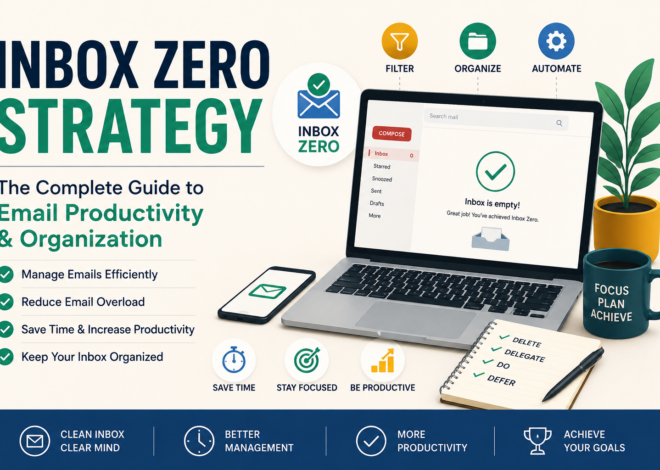
Email management productivity ka aik important hissa hai. Gmail ke hidden features tabhi maximum benefit provide karte hain jab users proper email management practices follow karein. Inbox ko regularly clean rakhna, unnecessary subscriptions ko unsubscribe karna aur emails ko labels ke zariye organize karna bohat zaroori hai. Bohat se professionals Inbox Zero strategy use karte hain jisme inbox ko hamesha clutter-free rakhne ki koshish ki jati hai. Gmail ke archive, snooze aur priority features is strategy ko implement karne mein madad karte hain.
Gmail Aur Remote Work
Remote work ke trend ke sath Gmail ki importance aur bhi zyada barh gayi hai. Teams jo different cities ya countries mein kaam karti hain unke liye reliable communication system bohat zaroori hota hai. Gmail ke scheduling aur delegation features remote collaboration ko easy banate hain. Google Meet integration ki wajah se users directly Gmail ke andar se meetings schedule aur join kar sakte hain. Yeh feature remote teams ke liye productivity ko significantly improve karta hai.
Gmail Security Features Ki Ahmiyat
Online security har internet user ke liye bohat important hai. Cyber attacks aur phishing attempts har saal increase ho rahe hain. Gmail ke advanced security features users ko in threats se protect karte hain. Two-factor authentication, suspicious activity alerts aur phishing protection systems account security ko improve karte hain. Users ko hamesha strong passwords use karne chahiye aur security notifications ko ignore nahi karna chahiye. Gmail ka security ecosystem duniya ke sabse advanced systems mein se ek mana jata hai.
Gmail Confidential Mode Ka Professional Use
Confidential Mode businesses aur professionals ke liye ek valuable feature hai. Jab sensitive information share karni ho to users expiry dates aur SMS verification enable kar sakte hain. Is feature ki madad se confidential documents aur private information unauthorized access se protected rehti hai. Financial institutions, legal firms aur consulting agencies aksar confidential communications ke liye is feature ka use karti hain.
Gmail Productivity Hacks
Productivity experts Gmail ke kai hidden features ko daily workflow ka hissa banate hain. Keyboard shortcuts ka use email management ko bohat fast bana deta hai. Smart Compose typing speed ko improve karta hai jabke templates repetitive communication ko automate karte hain. Labels aur filters email organization ko easy banate hain. In sab features ko combine karne se users rozana kaafi waqt save kar sakte hain aur apni efficiency ko improve kar sakte hain.
Gmail Aur Digital Marketing
Digital marketers ke liye Gmail bohat useful platform hai. Marketing campaigns ke responses ko organize karna aur client communications manage karna Gmail ke advanced features ki madad se asaan ho jata hai. Labels aur filters leads ko categorize karne mein madad karte hain jabke templates outreach campaigns ko faster banate hain. Schedule Send feature marketers ko optimal timing par emails deliver karne ki facility provide karta hai.
Customer Support Teams Ke Liye Gmail
Customer support departments ko rozana bohat zyada emails handle karni padti hain. Gmail ke labels, templates aur delegation features support workflows ko efficient banate hain. Teams common customer queries ke liye predefined templates create kar sakti hain aur support emails ko automatically categorize kar sakti hain. Is se response time improve hota hai aur customer satisfaction bhi barhti hai.
Gmail Storage Ko Optimize Karna
Storage management Gmail users ke liye ek important topic hai. Time ke sath inbox mein thousands of emails aur attachments accumulate ho jate hain. Large attachments ko identify karke delete karna storage space free karne ka effective tareeqa hai. Spam aur Trash folders ko regularly empty karna bhi zaroori hai. Proper storage management account performance ko improve karta hai aur future storage issues se bachata hai.
Gmail Ke Common Mistakes Jin Se Bachna Chahiye
Bohat se users Gmail ke hidden features ka faida nahi utha pate kyun ke woh common mistakes karte hain. Unnecessary emails ko inbox mein accumulate hone dena, labels ka use na karna aur security settings ko ignore karna in mistakes mein shamil hain. Kuch users weak passwords use karte hain jo security risks ko increase karta hai. Gmail ke features ko effectively use karne ke liye users ko proper setup aur maintenance par focus karna chahiye.
Gmail Aur Artificial Intelligence
Artificial Intelligence Gmail ke future ka important hissa hai. Smart Compose aur Smart Reply AI technology ki successful examples hain. Yeh features user behavior ko analyze karke relevant suggestions provide karte hain. Future mein Gmail aur bhi intelligent hone ki umeed hai jahan AI emails ko better organize karega, spam detection ko improve karega aur productivity tools ko aur advanced banayega.
Gmail Ke Future Trends
Technology experts ke mutabiq Gmail future mein aur zyada automation aur personalization offer karega. AI-driven email categorization, predictive communication tools aur enhanced security systems Gmail experience ko aur improve karenge. Businesses aur individuals dono ko in innovations ka faida milega. Google continuously Gmail ko update karta rehta hai taake users ko modern communication requirements ke mutabiq features mil saken.
Frequently Asked Questions
Kya Gmail Hidden Features Free Hain?
Ji haan, zyada tar features bilkul free hain.
Kya Gmail Offline Use Ho Sakta Hai?
Ji haan, Offline Mode available hai.
Kya Schedule Send Mobile Par Kaam Karta Hai?
Ji haan, Android aur iPhone dono par.
Kya Confidential Mode Secure Hai?
Ji haan, especially expiry date aur SMS verification ke sath.
Conclusion
Gmail sirf ek email service nahi balki ek powerful productivity platform hai. Smart Compose, Schedule Send, Confidential Mode, Advanced Search, Labels, Filters aur doosre hidden features aapki daily workflow ko significantly improve kar sakte hain. Agar aap in features ko regularly use karna shuru kar dein to email management bohat zyada efficient aur professional ho jayegi.